
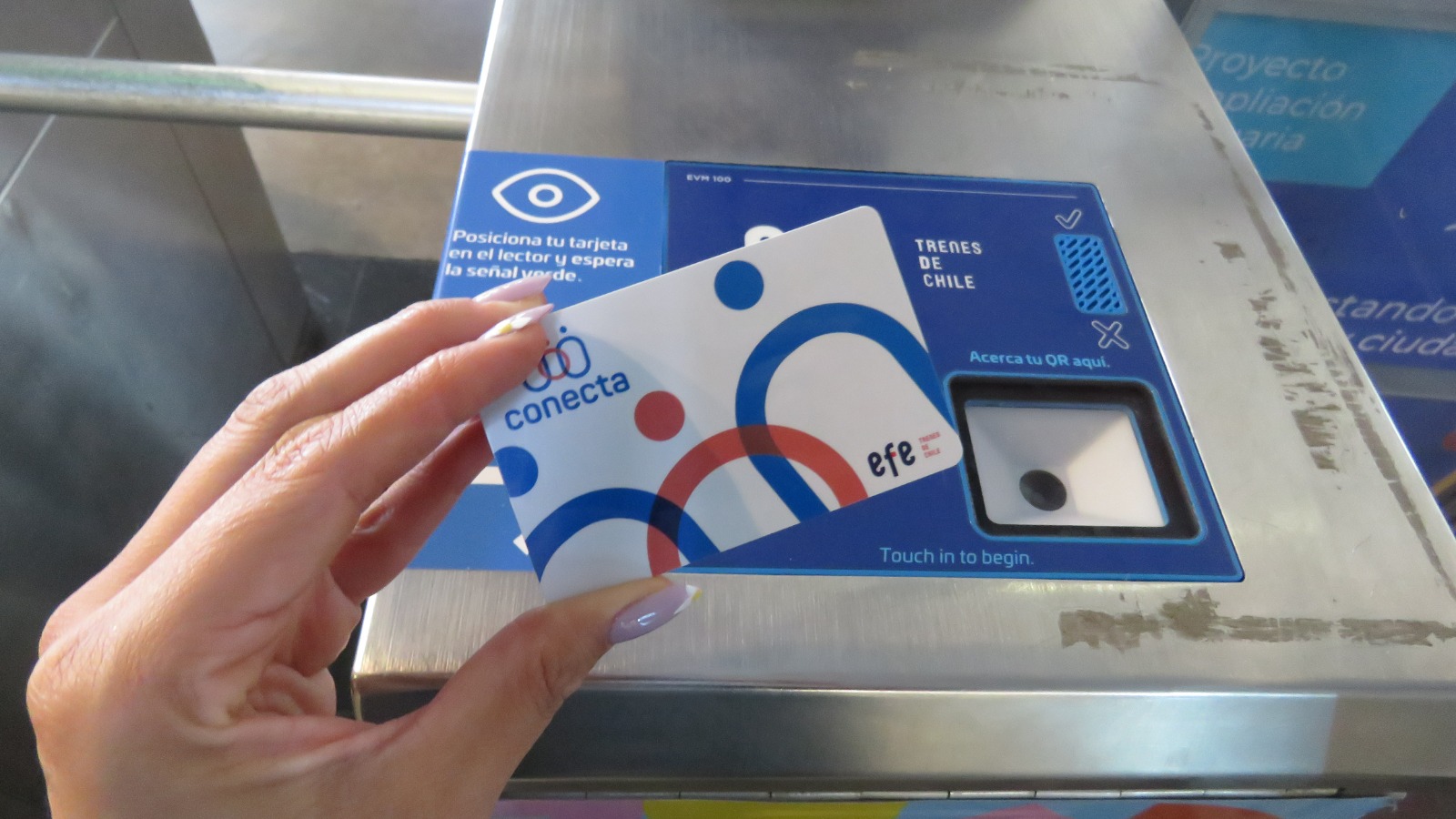
The Metroval card is the rechargeable smart card used to travel on Metro Valparaíso and its associated services, and using it is straightforward once you understand the basic steps. This guide walks you through how to get it, load it, use it at the gates, and manage it day to day.
1. What the Metroval Card Is and Where It Works
The Metroval card is a contactless transport card used to pay fares on the Tren Limache–Puerto (Metro Valparaíso) line and, depending on current integrations, on some connecting services in the Gran Valparaíso area.
Key points:
- It replaces paper single‑trip tickets for most regular users.
- It can be recharged (topped up) multiple times with stored value or passes.
- It works across the different fare zones of the network (coastal, intermediate, interior), with the fare deducted according to the start–end combination you travel.
Because the system and integrations can change, it is always a good idea to quickly check the official Metro Valparaíso site or station information boards before buying if you plan to use it with bus or feeder services as well.
2. How to Get a Metroval Card
There are two main ways to obtain a Metroval card: at staffed ticket offices and at station vending machines.
A. Buying at a Ticket Office
- Find a staffed station
Look for larger stations such as Puerto, Viña del Mar, or Limache, which normally have customer service windows. - Join the ticket window line
You’ll see clear signage indicating where cards and recharges are handled. - Ask for a Metroval card
In English you can say “One Metroval card with [X] pesos balance, please.”
In Spanish: “Una tarjeta Metroval con [X] pesos de saldo, por favor.” - Pay the card issuance fee plus initial load
- You pay a small fee for the physical card itself (non‑refundable).
- You choose the amount of credit to load (for example, enough for several trips across your expected zones).
- Receive the card and receipt
Keep the receipt in case there is a problem with the card right away; it helps staff verify the transaction.
This option is easiest if it’s your first time and you want to ask questions or are unsure which fare zones you will use most.
B. Buying at a Ticket Machine
- Locate a vending machine
These are typically installed near the station entrances or gates. - Choose your language
Look for flag icons; select English or your preferred language. - Select “Buy Card” or equivalent
You will see separate options for:- Buying a new card.
- Recharging an existing card.
- Select the type of load
Depending on the interface, you may be able to:- Load simple stored value (a money amount).
- Load specific products (e.g., multi‑trip type or zone‑based product).
- Choose the amount
Select how much credit or what product you want. - Pay
- Insert coins/notes (if supported) or pay by card (debit/credit).
- Wait for the payment confirmation.
- Collect everything
Take:- The new Metroval card.
- Your receipt.
- Any change (if paid in cash).
Always double‑check that the machine has actually issued a card; do not walk away with only the receipt.
3. How to Top Up (Recharge) Your Metroval Card
Once you have a card, you’ll regularly need to add balance.
A. Recharging at Station Machines
- Insert or tap your card
Place the card on the reader or into the slot as indicated. - Select “Recharge / Top up”
The screen should show your current balance. - Choose the amount or product
- Confirm you’re loading stored value compatible with your usual trips.
- Avoid loading multiple incompatible products on the same card; if in doubt, choose regular stored value.
- Confirm and pay
- Pay the indicated amount by cash or bank card.
- Wait for confirmation that the card has been updated.
- Remove card and keep the receipt
Check your new balance on the screen if possible.
B. Recharging at a Ticket Office
- Present your Metroval card to the staff.
- Say how much credit you want to add.
- Pay the amount.
- Ask the staff to confirm the new balance and check it at a validator if available.
Practical Top‑Up Tips
- Top up before you need it: Do not wait until your balance is nearly zero right at rush hour.
- Keep one type of product: Avoid mixing passes and stored value unless you clearly understand how priority and expiry work.
- Check balance often: Quick balance check at the start of the day saves surprises at the gates.
4. How to Use the Metroval Card at the Gates
Using the Metroval card to ride is simple once you know the sequence.
A. Entering the System (Tap In)
- Approach the turnstile
Choose a gate with a working card reader (usually marked with a green arrow). - Tap your card on the reader
- Hold it flat against the contactless pad.
- Do not tap your phone or wallet with multiple cards; the card might not be read correctly.
- Wait for the signal
- If valid: You will see a green light or message, often with your new balance.
- If not valid: You may see a red light, beep, or error message (insufficient balance, invalid card, etc.).
- Walk through the gate
Once it opens or unlocks, move through promptly so you do not block other passengers.
If your card fails due to low balance, step aside and use a nearby machine to recharge before trying again.
B. Exiting the System (If Required)
Some systems require tapping out at the exit gates; others only require entry validation. Check signage at your station:
- If tap out is required:
- Repeat the tap process at the exit gate.
- The system may calculate the fare based on entry and exit stations.
- If tap out is not required:
- You can walk out of the station once you have left the controlled area.
When in doubt, observe what local passengers do or ask a staff member.
5. Choosing the Right Balance and Product
Because the Metro Valparaíso line has different zones (coastal, intermediate, interior) and peak/off‑peak fares, think strategically about what to load:
- Short stay / tourist:
- Load a modest amount of stored value based on how many trips you plan to take (for example, coastal trips between Puerto and Viña del Mar).
- If you will only ride a few times, a single‑trip or simple stored value model is usually enough.
- Regular commuter:
- Estimate your monthly trips (work plus weekends).
- You may want to load a larger amount at once to avoid frequent top‑ups.
- Multiple zones:
- If you frequently travel across zones (e.g., Limache–Puerto), ensure you always have enough balance to cover the highest possible fare you might be charged.
When loading at a ticket office, mention your typical route so staff can confirm that you’re using the most cost‑effective option currently available.
6. Using the Card Smartly and Avoiding Problems
A. Check Your Balance Frequently
Get into the habit of:
- Checking your balance each morning at:
- Station validators,
- Machines,
- Or when you recharge.
- Keeping a minimum “safety buffer” (e.g., more than the cost of one longest‑distance trip).
B. Keep the Card in Good Condition
- Do not bend, scratch, or punch holes in the card.
- Avoid storing it against magnets or metal objects for long periods.
- Keep it somewhere safe but quick to access (e.g., a front pocket or card holder).
C. Avoid Card Conflicts
If you carry multiple transport or bank cards:
- Do not tap your whole wallet; remove the Metroval card and tap it alone.
- This reduces reading errors and accidental charges to another contactless card.
D. What to Do if the Card Fails
If your card suddenly stops working:
- Try another gate or reader.
- Check at a machine that the card is recognized and see your balance.
- If the card is not recognized at all:
- Go to a ticket office.
- Show your card and any recent top‑up receipts.
- Ask if they can test or replace it (policies vary; a replacement card may have a cost).
If the balance seems wrong, ticket office staff are usually the only ones who can investigate recent transactions.
7. Using Metroval Card for Groups or Families
Policies can vary, but many contactless systems allow sequential taps for multiple passengers with one card, as long as there is enough balance:
- If permitted:
- Tap the card once per person, waiting for the gate to register each “entry.”
- Walk through one by one.
- If not permitted:
- Each person must have their own card or ticket.
Before trying to share one card, check station signage or ask staff to confirm the current rules for Metroval.
8. Safety and Etiquette When Using the Card
- Have the card ready before reaching the gates to avoid delays and crowding.
- Keep valuables secure while tapping in and out; entry gates are classic spots for pickpockets in busy urban systems.
- Move away from the gates immediately after passing through so others can use them.
- Respect queue order at ticket machines and gates; cutting in can cause confrontations, especially at rush hour.
9. Common Mistakes to Avoid
- Waiting until the last second to recharge: Recharging just as the train arrives can make you miss the train and stress you out.
- Trying to load incompatible products: If you don’t fully understand passes and special products, stick with simple stored value.
- Not keeping receipts: At least keep the last top‑up receipt until you confirm the balance is correct.
- Tapping the wrong card: If you have bank cards, hotel cards, and transport cards together, you can create errors or accidental charges.
Using the Metroval card becomes second nature after a couple of trips. Get the card at a main station, load a sensible amount based on your travel plans, keep it topped up, and always have it ready at the gates. With those simple habits, you’ll move through the Metro Valparaíso network quickly, cheaply, and with minimal hassle.